TOUCH & OPTICAL BONDING

Every layer.
A better interaction.

From GG, GFF and PG touch structures to OCA optical bonding and bonding with the display frame retained, connect materials, optics and mechanics in one considered design.

GG / GFF / PG

A closer look at every layer.

Select the cover material and sensor structure around the complete product. Design the touch panel and display module together.

GG

Glass + Glass

User side → Display side

  1. Cover glass
  2. OCA adhesive
  3. Glass touch sensor

A glass cover over a glass sensor substrate supports designs that value surface quality and dimensional stability. Assess weight, impact resistance and mechanical support for the selected thickness. Confirm cover printing, sensor outline and FPC position against product drawings, linking material selection with assembly conditions.

GFF

Glass + Film + Film

User side → Display side

  1. Cover glass
  2. OCA adhesive
  3. X-axis sensor film
  4. OCA adhesive
  5. Y-axis sensor film

Two sensor films beneath a glass cover offer options for managing thickness and weight. Key considerations include film stability, layer registration and circuit routing. Film sensors do not remove the constraints of a glass cover and enclosure. Any product flexibility must be established for the actual construction.

PG

Plastic + Glass

User side → Display side

  1. Plastic / composite cover
  2. OCA adhesive
  3. Glass touch sensor

A PC, PMMA or composite cover over a glass sensor offers another route for material and appearance choices. Evaluate abrasion resistance, outgassing and thermal expansion mismatch. Review surface coatings, printed regions and cleaning methods, connecting cover appearance with sustained-use conditions.

PG means Plastic + Glass on this page. These simplified stacks run from top to bottom and are not to scale. Electrodes, protective layers and routing follow the approved design. The bonding layer between the touch panel and display is designed separately.

Concept study of clear optical adhesive film and glass
Original concept illustration

OCA OPTICAL BONDING

Less air. A clearer connection.

OCA (Optically Clear Adhesive) is a transparent adhesive film. Full-area optical bonding joins the touch panel to the display, reducing internal reflections associated with air interfaces. Results depend on the complete material and optical design.

  • Material selection: thickness, refractive index, haze, compliance and environmental durability.
  • Interface design: cover ink steps, polarizer compatibility and surface cleanliness.
  • Process integration: alignment, vacuum lamination and material-specific debubbling.
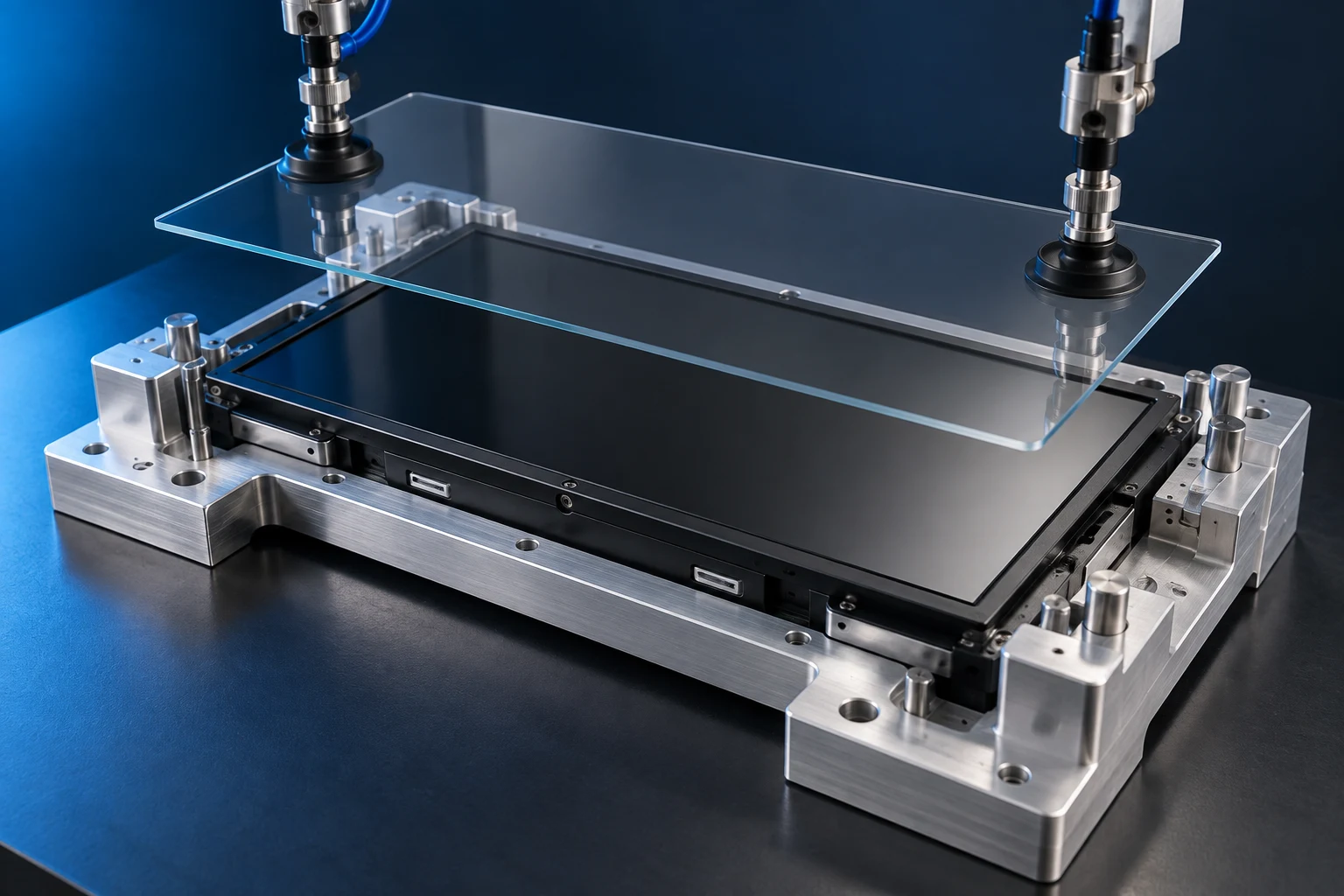
Concept of a framed display module and bonding fixture
Original concept illustration

FRAME-RETAINED OPTICAL BONDING

Keep the frame. Refine the integration.

Optical bonding with the frame retained uses dedicated support and alignment fixtures while the display module remains in its frame. The viewing area is optically bonded across its surface; this is not perimeter-only adhesive bonding.

  • Review frame height differences, flatness and the available bonding area.
  • Coordinate OCA thickness, pressure application and module support to manage local stress.
  • Allow clearance for FPCs, connectors and assembly, then validate debubbling and appearance for the module.

PROCESS & QUALITY

From material to a responsive touch.

  1. 01

    Review materials

    Confirm cover, sensor, adhesive and module drawings.

  2. 02

    Prepare surfaces

    Control particles and apply surface preparation as required.

  3. 03

    Align and laminate

    Establish alignment references and suitable vacuum and pressure conditions.

  4. 04

    Debubble and inspect

    Follow adhesive requirements and check bubbles, particles, adhesive squeeze-out and display appearance.

  5. 05

    Validate performance

    Test touch, display and project-specific environmental requirements.

DESIGNED FOR REAL USE

Specifications shaped by real use.

Define dimensions, cover thickness, touch controller and interface early. Establish test conditions for gloves, wet fingers, electromagnetic interference and the operating environment. Stack and process suitability are assessed against project drawings, materials and samples.

BEHIND THE DESIGN

From stack selection to installed-product operation.

Touch panels and optical bonding bring together materials, appearance, controllers, support and the operating environment. Clear selection criteria and process conditions make sample assessment more representative of the final product.

01

GG, GFF and PG: compare the complete design

GG combines a glass sensor substrate and glass cover; GFF uses two sensor films; PG here means a plastic or composite cover over a glass sensor. Alongside the material name, confirm total thickness, outline, printed regions, FPC exit and controller compatibility.

Thickness and weight depend on the actual materials and dimensions. GFF sensor films do not make the whole product flexible. PG shape options must be considered alongside surface quality, outgassing and thermal expansion. Use drawings and samples to establish a sound comparison.

02

Select OCA for the interfaces it must join

Assess adhesive thickness, compliance and substrate compatibility against cover ink steps, the sensor and display surface. Confirm cleanliness and surface condition before bonding. Afterwards, inspect bubbles, particles, edge appearance and display uniformity. A transparent adhesive is one part of the complete optical design.

Different OCA formulations may require different processing; curing requirements are not universal. Choose the material and process from supplier data, module conditions and sample validation instead of applying one set of parameters to every construction.

03

Check support and tolerances for framed modules

With the frame retained, review its height relative to the display surface so bonding tools and support fixtures act at appropriate locations. Discuss adhesive thickness, flatness, cover alignment and clearances together to manage frame interference and uneven pressure.

FPCs, connectors and frame openings can also constrain fixtures and debubbling. Not every module suits the same frame-retained process. Review drawings, materials and samples before defining the bonding method and inspection conditions.

04

Validate touch on the complete assembly

Capacitive touch behavior depends on cover thickness and material, sensor construction, controller settings and system electrical conditions. After bonding, test with representative power, grounding, cables and housing to understand operation close to that of the final product.

Define separate tests for gloves, wet fingers, multi-touch and interference. Record touch positions, sliding paths, edge operation and false-input conditions before discussing adjustments against controller capabilities. Stack names alone do not establish these functions.

05

Connect appearance inspection with reliability

Agree viewing distance, angle, illumination and acceptance conditions for bubbles, particles, edge bonding and display non-uniformity. Electrical checks should cover display, touch, communication and power sequencing so assessors use consistent methods.

Define temperature cycling, damp heat or other environmental tests around the materials and application. Recheck appearance, touch and display function after testing, and identify differences between the test sample and installed product rather than extending one result to every performance claim.

QUESTIONS & ANSWERS

Touch and optical bonding engineering questions.

Which stack is right for my product?

Choose GG, GFF or PG from the complete product requirements rather than assuming one label is universally superior. Here GG means a glass cover with a glass sensor, GFF a glass cover with two film sensor layers, and PG a plastic or composite cover with a glass sensor. Confirm a layer-by-layer section with the supplier because terminology can vary.

Compare the full outline, thickness, weight and installation space, including adhesives and the interface to the display. Openings, printing, edges and special shapes also need review. A film sensor does not mean the complete assembly is flexible, and a plastic cover does not automatically satisfy every shape or surface requirement.

Define bare-finger, glove, wet-operation, multi-touch and edge-interaction needs. Sensor design, controller, cover and settings must work together. Existing motherboard interfaces, cables and grounding should be considered before a material architecture is selected.

Evaluate transparency, reflection, image detail and cleaning with the intended panel. Plastic or composite materials also require appropriate dimensional and bonding-compatibility review. Avoid treating the characteristics of one formulation as a universal statement about the entire material category.

Discuss adhesive, ink steps, frame and fixture support, then verify the sample in the intended enclosure and electrical conditions. Provide ATT with drawings, display details, operating scenarios, timing and budget priorities. The website sections explain the layer concepts; actual materials, thicknesses and functions belong in the agreed specification.

Does optical bonding guarantee glove or wet-finger operation?

Full optical bonding does not automatically provide glove or wet-finger operation. Bonding addresses the material interfaces, while touch recognition also depends on sensor design, controller, cover, tuning and complete-system electrical conditions. Visual quality and reliable input therefore require separate checks.

Specify gloves by material, thickness and representative samples, including whether they are dry and how users tap, slide or hold. Successful single taps do not establish every gesture, edge position or operating duration. Test the actions that matter to the actual product.

Distinguish wet fingers, droplets, a water film and running water. Decide whether input must remain available or should be suppressed to avoid false activation. Recognition of intended input and rejection of unintended input are separate requirements; increasing sensitivity alone is not a complete solution.

Use the intended cover, sensor and adhesive combination. Record settings and repeat relevant checks after changing the stack. Evaluate with representative power, grounding, cables and enclosure, including untouched behaviour, edges, continuous movement and start-up where relevant.

Give ATT representative gloves, scenario descriptions and clear pass/fail criteria for both operation and false input. The supported capability should be tied to approved materials, settings and test conditions. Neither the bonding name nor a concept image establishes unrestricted operation with every glove or water condition.

Does optical bonding provide water and dust protection?

Full optical bonding is not equivalent to complete-product water or dust protection. It addresses interfaces within the display assembly, while ingress also depends on the housing, joints, seals, connectors, buttons and assembly. A bonded viewing area does not remove every other possible entry path.

Describe the environment, installation direction and expected exposure. If the customer requires a specific protection test or rating, provide the exact requirement and scope for the responsible product team to confirm. Everyday descriptions such as splash-resistant should not be converted into a formal claim without supporting evaluation.

Review the cover perimeter, frame joints, fasteners, cable exits and all external openings. Seal geometry, compression and tolerances must work with the assembly process. Service procedures also matter: determine how sealing is restored after a display replacement and which components or checks must be renewed.

Adhesive compatibility, edge appearance and environmental behaviour have their own validation needs, but they do not replace complete-equipment ingress testing. Likewise, an ingress result does not establish reliable touch operation in every wet condition. Define these requirements separately.

Use a representative final assembly for the agreed evaluation, recording version, sealing configuration and conditions. Review the evidence after material or structural changes. ATT can discuss display and bonding interfaces while complete-equipment responsibilities are assigned for the project. Keep bonding, touch and enclosure protection as distinct requirements in procurement documents.

How does frame-retained optical bonding differ from perimeter bonding?

The key difference is whether the viewing area is fully optically bonded, not whether a visible frame exists. In this website, framed full bonding retains the display module frame while bonding the cover or touch assembly across the display area. Perimeter or frame bonding generally fixes the edges and leaves an air gap in the viewing region. Confirm the actual section because supplier terminology may differ.

Show the cover, sensor, adhesive, display surface, frame and fixing materials in the drawing. The frame-to-display height relationship affects tool access, loading and edge configuration. Clearly identify any air gap so engineering and purchasing teams share the same understanding.

A retained frame requires assessment of flatness, tolerances, local high points, FPCs, connectors and fixture clearance. A process developed for an unframed sample should not automatically be reused. Actual support and alignment need to be established for the intended module.

Compare appearance with the same panel, brightness, light and viewing angle, considering reflection, text, edges and grey levels. Selection also involves thickness, service, materials and manufacturing. Full bonding should not be treated as a promise of enclosure sealing or special touch capability.

Inspect bubbles, contamination, alignment, edges, display and touch, and agree any environmental assessment. Provide ATT with the existing section, allowable changes and reason for retaining the frame. Document materials, geometry and acceptance conditions so the chosen construction is defined more precisely than by a short process label alone.


LET’S BUILD YOUR NEXT DISPLAY

Your display challenge.
Our integrated approach.

Tell us about the application, target size and key specifications. Let’s turn requirements into the next design step.

Discuss your project